

Dev Tools
This content is not available in your language yet.
In your browser, you can open dev tools by pressing either F12 or right click < inspect.
Dev tools allows you to edit pages on the fly to preview changes, view how your stylesheet attributes affect the page, view debug logs, and view pages from different device aspect ratios.
And much more.
| Firefox Dev Tools Menu | Chrome Dev Tools Menu |
|---|---|
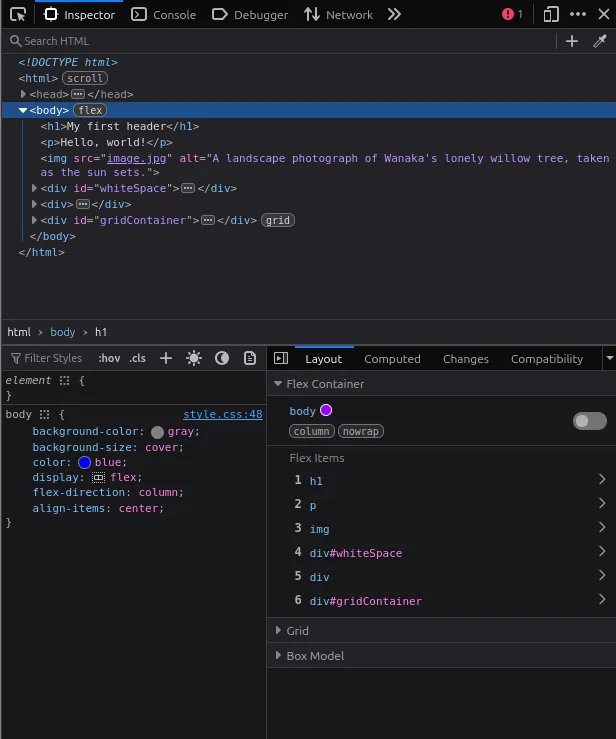 | 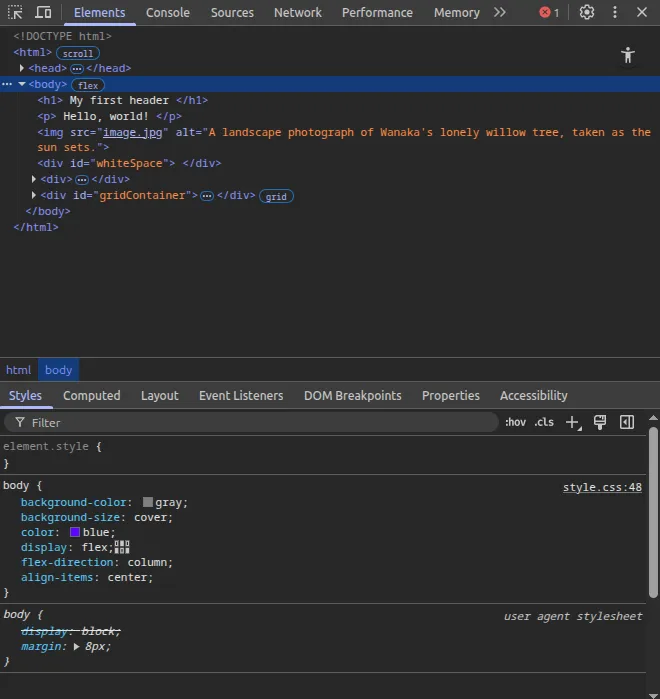 |
While the menu may look overwhelming at first, you will become familiar with it quickly. It’s a powerful tool for debugging problems, and the best way to learn it is to use it.
For web development, the most important tools are the inspector, styles, and layout menus.
Using dev tools as you make your website will also teach you a lot about how the browser renders content from HTML and CSS files, much more than you can learn by reading.
Have fun!
Guides